Hey everyone, if you’ve ever tried to print on clear or transparent stickers, you know it’s not like slapping ink on regular white label stock. I run a small sticker supply business that’s built almost entirely on getting this part right—my customers are coffee shops putting logos on mason jars, indie game devs doing clear console skins, even wedding planners making transparent seating chart accents—and I’ve tested just about every printer and trick out there over the last four years. A lot of folks come to me confused, asking “why won’t my home printer’s transparent stickers stop smudging?” or “why is that clear sticker I printed all yellow at the edges?” So today, I’m breaking down exactly what makes a good printer for clear stickers, the mistakes I see everyone making, and what works (and what doesn’t) from years of hands-on trial and error. Clear / Transparent Stickers
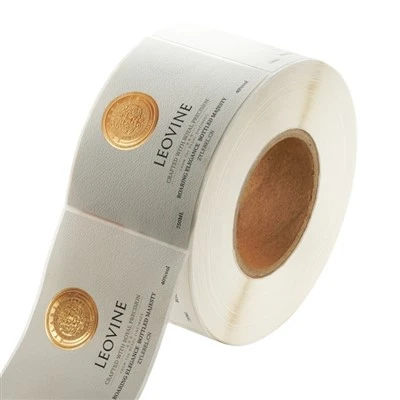
First, let’s cut through the noise: not all printers are created equal when it comes to clear stickers. The biggest mistake I see is someone grabbing the cheapest inkjet they have at home or an office printer down the street, loading random clear sticker sheets from Amazon, and wondering why their design looks like a rainy-day painting the second it dries. Here’s the thing about clear sticker material: it’s not paper. Most are made from vinyl, PET (polyethylene terephthalate), or a thin plastic film—super smooth, non-porous, and totally different from the textured paper your office printer is built for. Ink that works on paper sits on top of the fibers, but on plastic, it just sits on the surface unless it’s formulated to stick, and unless your printer is calibrated for that, you’re gonna get smudges, fading, or ink that rubs off the second someone peels the sticker.
Let’s start with the two main printer types you’ll be working with: inkjet and laser. I know a lot of people default to inkjet because it’s what they have, and yeah, inkjet works—but only if you get the right ink and match it to the right sticker material. The problem with most consumer inkjets is their ink: a lot of them use pigment ink, which is supposed to be durable, but wait—no, pigment ink can actually be too thick for clear sticker vinyl, so it beads up instead of laying flat. Dye ink, which is thinner and used in a lot of basic printers, is even worse because it’s water-based, so it smudges instantly if you breathe on it wrong, and it fades in sunlight faster than a neon sign at a rave. If you’re gonna go inkjet, you need to skip the store-bought generic ink and get a printer that uses specialty sublimation ink? No, wait, no—sublimation is for polyester fabrics, that’s a whole different thing. Wait, let’s correct that: the best inkjet for clear stickers uses UV-curable ink. UV-curable ink is a game-changer because it dries the second it’s hit with a UV light (which most good commercial inkjets have built in, or you can get a little handheld UV lamp for home use). It’s formulated to bond to plastic and vinyl, so it doesn’t smudge, it’s water-resistant, and it doesn’t fade as fast as regular ink. I tested a cheap UV inkjet printer for my own small runs a couple years back, and it cost way less than I thought—around $800, which is a steal if you’re doing 50 to 500 stickers a week for your small business, instead of paying a print shop $2 each.
But wait, inkjets aren’t for everyone. If you’re doing bigger runs—like 1,000+ clear stickers a month, or stickers that need to go on cars, water bottles, or get wet regularly—laser printers are where it’s at. Laser printers use toner, which is dry powder that’s melted onto the sticker material with heat. That’s perfect for clear vinyl or PET because the toner fuses directly to the plastic, not just sitting on top, so it’s way more durable. I’ve had customers bring me clear stickers from laser printers that they’ve run through the dishwasher, left on their car dashboard in 90-degree heat for three months, and the ink still looks crisp. The catch here is that not all laser printers work for clear stickers. A lot of consumer laser printers have a fuser unit that runs too hot, and it melts the clear vinyl instead of just fusing the toner, leaving sticky, discolored edges that look terrible. You need a laser printer with a low-temperature fuser—look for one that’s marketed as compatible with specialty media, like vinyl or transparent film. I use a mid-range laser printer for my bulk wholesale runs, and it’s lasted me three years printing thousands of clear stickers without a single jam or bad fuser issue. Pro tip: if you’re gonna use a regular laser printer and it’s melting your stickers, you can always slow down the print speed. I learned that the hard way when I cranked my printer to max speed once and had a whole batch of clear stickers that were all bubbled along the edges. Slow and steady wins here, for sure.
Now, let’s talk about the big “don’t”s, because I see these mistakes all the time from new sellers. First, don’t use plain transparent plastic sheets meant for overhead projectors. Those things are super thin, and printer manufacturers design them for projection, not for stickers. The material is usually too porous, so ink soaks through and looks muddy, and it’s way too flimsy to peel off the backing without tearing. I once bought a pack of those by accident for a test run, and half the stickers ripped the second I tried to peel them from the sheet—total waste of time and money. Second, don’t skip the clear laminate. Even if you get the best printer and the best ink, clear stickers will scratch if you don’t top them with a laminate layer. It’s like putting a clear coat on a car. You can get printable clear laminate sheets that run through your printer after you print, or use a spray-on laminate for small batches, but either way, it’s non-negotiable if you want your stickers to last. I had a customer come to me last year with a batch of clear stickers she printed at home that were all scratched up after a week—turns out she skipped the laminate, and the toner rubbed off on her phone case in a few days. Third, don’t ignore printer calibration. Most people load a sticker sheet, hit print, and call it a day, but clear sticker material is thinner and stiffer than regular paper, so your printer needs to adjust the paper thickness setting. If you leave it on “plain paper,” the printer will push too hard, smudge the ink, or even tear the sheet. Every printer has a media type setting—set it to “thick paper” or “vinyl” (if it has that option) and you’ll cut your error rate by like 80%.
Wait, what about home users who just want to print clear stickers for their personal use, not for a business? A lot of my one-off customers come to me asking for the best printer for 10 or 20 stickers for their own planner or laptop. For that, I don’t recommend dropping $1,000 on a commercial UV printer. A lot of modern all-in-one printers now have “sticker mode” specifically for clear media. I’ve tested the Epson EcoTank line, which uses refillable ink and has a setting for vinyl stickers, and it works great for small runs. The ink is pigment-based but formulated to stick to plastic, and if you add a clear laminate sheet on top, it works almost as well as a commercial printer for personal use. Just make sure you get the right sticker sheets—Epson sells their own clear vinyl sticker sheets that are designed for their printers, and they don’t smudge at all. I still use one of these for quick test batches when I’m tweaking a design for a new client, it’s way easier than dragging out the big commercial printer.
Another thing that people rarely talk about is printer resolution. Clear stickers look way worse if you print at low resolution, because the plastic surface makes the ink dots more noticeable. For clear stickers, you should be printing at a minimum of 600 DPI, and 1200 DPI is even better, especially for small text or detailed designs. I’ve had a customer send me a design that looked amazing on their home printer at 300 DPI, but when we printed it on our commercial printer at 1200 DPI, the text was crisp and the colors popped in a way they never did before. That’s the thing about clear media—since there’s no white paper background to hide imperfections, every tiny pixel or smudge is super obvious. So don’t skip the resolution setting, even if it takes a tiny bit longer to print.
Now, let’s get into what I’ve learned after four years of doing this, because I’m not just a random blogger— I’m the guy making and shipping these clear stickers to people every week. The biggest mistake I see new sticker suppliers make is buying cheap printers that can’t handle clear media, and that’s why so many people have bad experiences with clear stickers. I started out with a $300 inkjet I got at Target, and it was a disaster—every batch had smudges, faded ink, and stickers that peeled off the second they got wet. It took me six months of testing different printers, inks, and sticker sheets to figure out what works, and I’ve streamlined the process so now we can print hundreds of clear stickers a day that look perfect, last for years, and hold up to everything from rain to dishwashers.
If you’re thinking about starting your own sticker business, or you just need a reliable printer for clear stickers for your own projects, here’s my final breakdown: if you’re doing large runs (500+ stickers a week, commercial use), go for a low-temperature fuser laser printer that’s compatible with vinyl media—they’re durable, cost-effective long-term, and give you amazing quality. If you’re doing small to medium runs (10-500 a week), a UV-curable inkjet printer is worth the investment, especially if you want to print detailed designs without worrying about smudging. If you’re just doing personal use, a mid-range all-in-one with a sticker mode, paired with brand-name clear vinyl sticker sheets, will do the job perfectly without breaking the bank.
At the end of the day, clear stickers are all about matching the printer to the material, and skipping the cheap shortcuts that sound like a good deal upfront. I’ve heard every trick in the book—“use a hair dryer to dry ink,” “let stickers sit for 24 hours before laminating,” “print them at night so they cool slow”—and while some of those work, nothing beats getting the right tool for the job.
If you’re a small business owner looking to source consistent, high-quality clear stickers, or you need help troubleshooting your printer setup for clear media, feel free to reach out to my team for a chat—we’re always happy to share what we’ve learned over the years, no pressure. We work with everyone from indie creators to local cafes, so we know what works for different needs and budgets.
Food & Beverage Labels References:
- Printer Media Compatibility Guide, Association for Print Technologies
- UV Curable Ink Performance for Vinyl Substrates, Journal of Digital Printing Technology
- Durability Testing of Clear Vinyl Stickers for Outdoor Application, Specialty Media Manufacturers Association
- Home Printer Calibration Best Practices for Specialty Sticker Materials, Consumer Technology Association
- Ink Adhesion to Plastic Surfaces: A Comparative Study, International Journal of Printing and Packaging Research
SpeedPrint Era (Xiamen) Digital Co., Ltd.
SpeedPrint Era (Xiamen) Digital Co., Ltd. is one of the most professional clear / transparent stickers manufacturers and suppliers in China, featured by quality products and low price. Please rest assured to wholesale advanced clear / transparent stickers made in China here and get quotation from our factory. We also accept customized orders.
Address: Floor 1, No. 27, Xianghong Road, Xiang’an District, 361101, Xiamen, Fujian, China
E-mail: hxmacka@gmail.com
WebSite: https://www.lumolabels.com/
